WhatsApp Chatbot for Business in Pakistan (2026): Cost, Setup & Providers
WhatsApp Chatbot for Business in Pakistan (2026): Cost, Setup & Providers
In Pakistan, a customer opens WhatsApp before they pick up the phone. Your shop, clinic or online store gets around 50 messages a day — “what’s the price?”, “how many days for delivery?”, “where are you located?” — and when half of those go unanswered, the customer simply moves on to the next seller.
A WhatsApp chatbot solves exactly this: an automated assistant that replies on your business number 24/7, takes orders, and saves your team hours every day. This guide keeps it straight: what a chatbot costs, how setup works, and which provider is right for you.
Key Takeaways (2-minute summary)
- The WhatsApp Business App (free) is enough for a small business — with quick replies and a catalog
- A real chatbot (on the Cloud API) typically costs PKR 50,000–200,000 to set up
- Meta’s per-conversation charges apply separately (in cents, depending on the category)
- Monthly platform cost ranges from PKR 0 (manage it yourself) to PKR 30,000+/month (managed platforms)
- Choosing the wrong chatbot hurts you more than choosing the wrong provider — the difference is explained below
In this guide:
– Chatbot vs Business App vs Broadcast — Understand the Difference
– WhatsApp Chatbot Cost in Pakistan — 2026 Price Table
– How Does Setup Work? (Step by Step)
– Providers Comparison: Twilio, WATI, 360dialog, Interakt
– Which Businesses Is a Chatbot Best For?
– 5 Mistakes People Make When Setting Up a Chatbot
– FAQs
Chatbot vs Business App vs Broadcast — Understand the Difference First
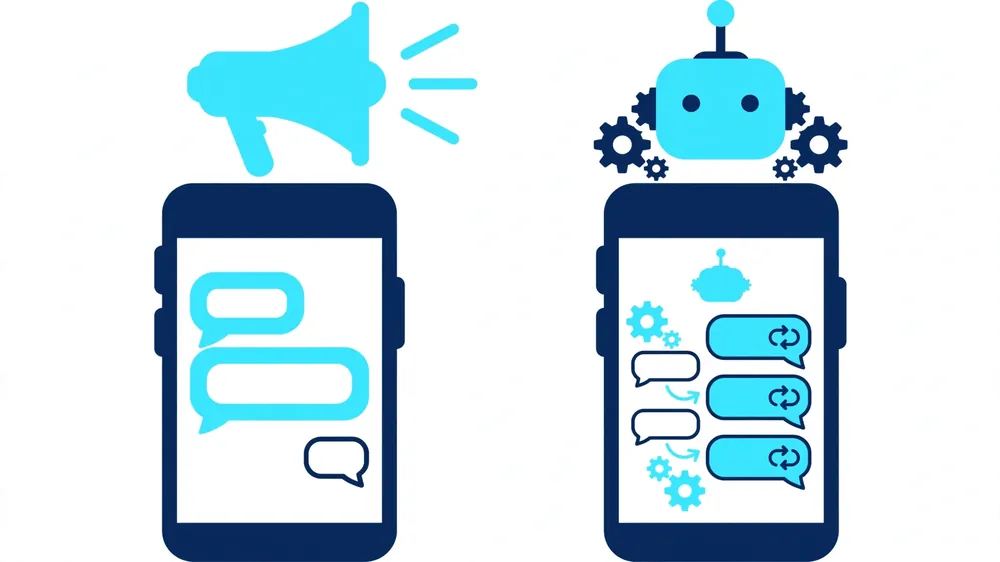
People mix these three up — and end up buying the wrong thing:
1. WhatsApp Business App (FREE)
The app that runs on your phone. Quick replies, catalog, away messages, labels. This is not a chatbot — it’s just organized messaging. Enough for a small business getting 20–30 messages a day.
2. Broadcast Lists
One message sent to many customers. It’s for marketing, not for replying. Too many broadcasts = customers blocking you.
3. WhatsApp Chatbot (Cloud API)
An automated system built on Meta’s official API. A customer types “price?” and gets an instant answer; it confirms orders and books appointments — without you picking up your phone. That’s what this guide is about.
WhatsApp Chatbot Cost in Pakistan — 2026 Price Table
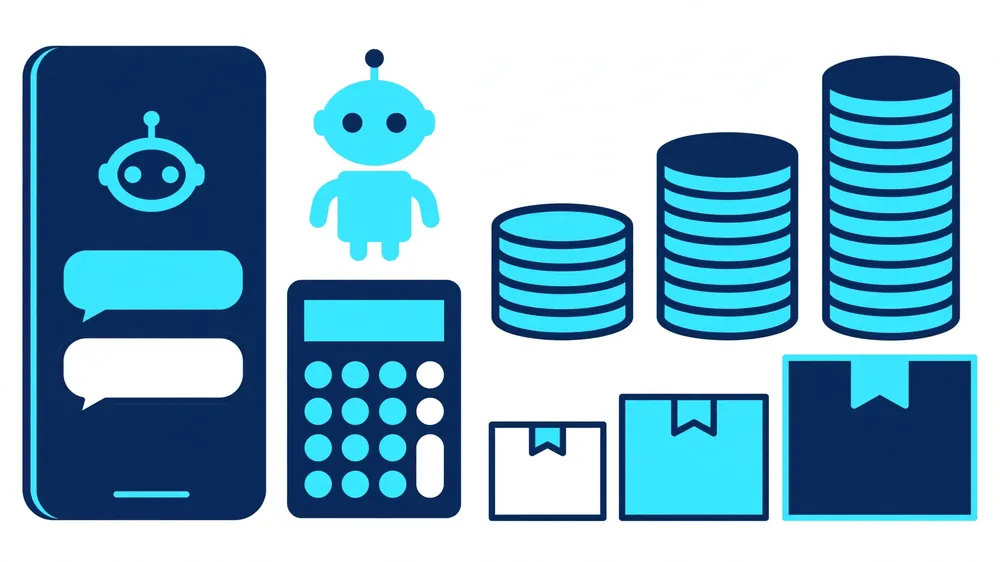
| Item | Cost Range | Note |
|---|---|---|
| Business App setup (do it yourself) | FREE | Just install the app and build your catalog |
| Basic chatbot (FAQs + auto-replies) | PKR 50,000 – 100,000 | Answers 10–20 questions, covers you outside working hours |
| Advanced chatbot (orders, booking, CRM link) | PKR 100,000 – 250,000 | Payment/delivery flow, Google Sheets/CRM integration |
| AI chatbot (smart replies, Urdu/English) | PKR 200,000 – 500,000+ | AI-based, understands context, converses like a human |
| Meta conversation charges | Charged separately (cents/conversation) | Depends on the marketing, utility and authentication categories |
| Platform subscription (WATI etc.) | PKR 8,000 – 30,000/month | If you use a managed platform |
| Self-hosted (Cloud API direct) | ~PKR 0 + Meta charges | You’ll need a technical team |
Important note: Meta’s conversation pricing changes over time — check the exact rates on Meta’s official pricing page. Avoid any provider who promises a “lifetime free WhatsApp API” — no such thing exists.
How Does Setup Work? (Step by Step)
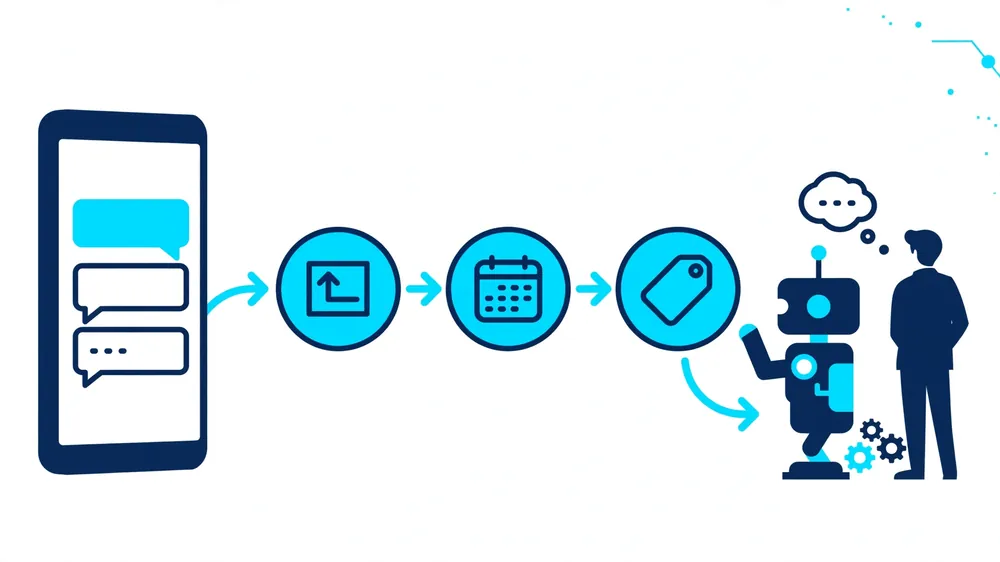
Step 1 — Verify your Facebook Business Manager
You’ll need your business’s Facebook Business account plus a verified domain/email. This is a Meta requirement; without it, you don’t get API access.
Step 2 — Decide on a phone number
A dedicated number (a new SIM or a virtual number). Note: if the number is already on the WhatsApp App, moving it to the API means the number gets migrated — keep your chat history in mind.
Step 3 — Choose a provider or the direct API
Comparison below. A managed platform (WATI/Interakt) is easier for a small setup; for bigger or custom work, go with the direct Cloud API plus custom development.
Step 4 — Design the conversation flow
This is the most important step: what will the customer ask, what will the bot reply, and when does it hand over to a human? A good agency builds this flow first, then writes the code.
Step 5 — Test, launch, monitor
Test with your own team first, then with 10–20 real customers, then launch fully. Check the bot’s replies daily during the first month — that’s how you find where it needs improving.
The full setup usually takes 2–4 weeks (basic) or 6–8 weeks (advanced/AI).
Providers Comparison
| Provider | Best For | Estimated Cost |
|---|---|---|
| Direct Cloud API (yourself) | Businesses with a technical team | Meta charges only — the cheapest option, but you have to build everything yourself |
| WATI | Non-technical teams, quick start | Starts around $40–80/month + Meta charges |
| Interakt | Ecommerce (Shopify/WooCommerce) | Similar range + Meta charges |
| 360dialog | Agencies/developers | API access provider — development is separate |
| Twilio | Developers, multi-channel | Pay-as-you-go + Meta charges |
| Custom (via an agency) | Unique flows, Urdu AI, CRM integration | One-time PKR 50,000–500,000 (depending on scope) |
Straight advice: if your work is standard (FAQs, order updates, appointment reminders), take a managed platform. If you need a smart AI chatbot in Urdu, or deep integration with your CRM/order system, custom development is the better choice — and it saves you the monthly platform fees too.
Which Businesses Benefit Most from a Chatbot?
- Ecommerce/Online stores: order confirmation, tracking updates, COD verification — 100+ repetitive messages a day, gone
- Clinics/Hospitals: appointment booking + reminders (no-shows go down)
- Restaurants: menu, table booking, home delivery orders
- Real estate: plot/file details + site visit scheduling
- Education: course details, fee structure, admission FAQs
Where a chatbot is useless: where every customer’s problem is unique and complex (e.g., legal consultation) — there, the bot just ends up as a “talk to a human” button. Decide honestly.
5 Mistakes People Make When Setting Up a Chatbot
1. Trying to make the bot do “everything”
In the first version, automate only your top 10 questions. 80% of messages revolve around those.
2. Not keeping a human-transfer option
When a customer gets stuck and can’t reach a human — that customer is gone. Every flow must have a “talk to the team” path.
3. Mistaking broadcast for a chatbot
Sending promotional blasts every day gets your number blocked. A chatbot is for replying, not for spam.
4. Using unofficial/grey tools
“WhatsApp blast software” tools break Meta’s policy — your number can be permanently banned. Use only the official Cloud API or an authorized provider.
5. Forgetting about it after launch
Check the bot’s chat logs weekly for the first 2 months. Where the bot answers wrong, fix the flow — that is the real “AI training”.
FAQs — WhatsApp Chatbot Pakistan
How much does it cost to set up a WhatsApp chatbot in Pakistan?
A basic FAQ chatbot runs PKR 50,000–100,000, advanced (orders/booking/CRM) PKR 100,000–250,000, and AI-based PKR 200,000–500,000+. Meta’s per-conversation charges are separate.
Isn’t the WhatsApp Business App enough on its own?
It’s enough up to 20–30 messages a day. When messages grow, when your team is replying at night too, or when orders need to be automated — that’s when you need a chatbot.
Can my number get banned?
Not if you use the official Cloud API — just follow Meta’s policy (no spam). Unofficial blast tools get numbers permanently banned.
Can the chatbot talk in Urdu?
Yes — in both Roman Urdu and Urdu script. AI-based chatbots understand context and reply accordingly; simple rule-based bots offer fixed options.
How long does setup take?
Basic: 2–4 weeks. Advanced/AI: 6–8 weeks. Facebook Business verification can also take a few days — so start early.
Can the chatbot handle JazzCash/EasyPaisa payments?
It can send payment links and confirm orders; the actual payment happens in the JazzCash/EasyPaisa app or website. The full flow for COD orders can be automated.
What will the monthly cost be?
If you host it yourself, only Meta’s conversation charges (in cents). On a managed platform (WATI etc.), PKR 8,000–30,000/month + Meta charges.
Can I use my old number?
Yes, but the number has to be migrated from the WhatsApp App to the Cloud API — and pay attention to your chat history during migration. Many businesses take a new dedicated number.
Want an exact quote for a WhatsApp chatbot for your business? DM us or email contact@abizglobalservices.com — tell us your business type and how many messages you get each day, and get a free consultation.
ABiz Global Services — WhatsApp chatbots, AI automation and business websites. See our work in our portfolio. More: AI Automation Cost Guide (coming).